
When choosing a mini security camera, you’re primarily balancing video resolution, connectivity options, and how the device handles storage. The main difference between these models is whether they rely on constant power or a battery, which changes where you can place them. Some offer higher resolution for detail, while others prioritize simple setup or specific features like dual-band Wi-Fi.
Best overall: Blink Mini 2K offers a balance of sharp 2K resolution, two-way audio with noise cancellation, and flexible indoor mounting, making it a reliable choice for most home security needs. Best for connectivity: GNCC 2K Indoor Camera stands out by supporting both 2.4GHz and 5GHz Wi-Fi networks, which helps ensure a more stable connection in homes with busy wireless environments. Best for endurance: 2025 Upgraded Mini Camera features a high-capacity 2600mAh battery that provides up to 100 days of standby time, perfect for areas where you can’t reach a power outlet.
The rest of this guide is for homeowners and renters who need compact monitoring solutions without complex wiring.
How We Picked
We compared 16 different mini security camera listings to identify the most useful options for common home monitoring scenarios. To earn a place in this article, each product had to clearly state its resolution, connectivity requirements, storage methods, and power source. Products were excluded if they lacked essential details regarding their app compatibility or mounting hardware. We focused on the manufacturer’s provided specifications to ensure the information reflects what is included in the box.
All 10 products side by side — scroll sideways to see every column.
| Top Pick | Best for Dual-Band WiFi | Also Great | Best for High Resolution | Best for Magnetic Mounting | Best for Fast Pairing | Best for Free Storage | ||||
| Preview |  |  |  |  | 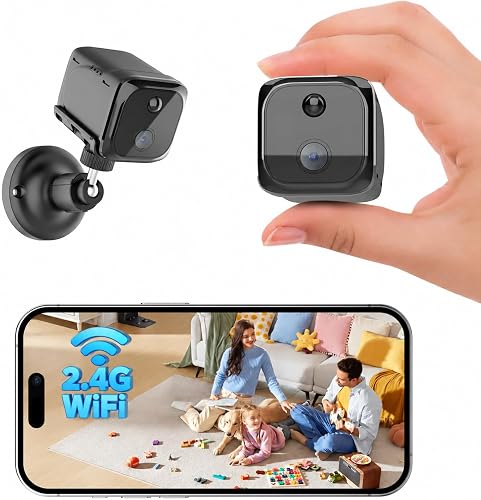 |  | 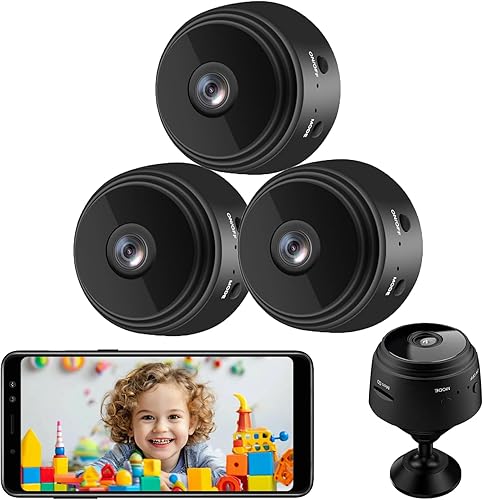 |  |  |  |
|---|---|---|---|---|---|---|---|---|---|---|
| Product | Blink Mini 2K | GNCC 2K Indoor Camera | 2025 Upgraded Mini Camera | Javiscam 4K Indoor Camera | Mini Magnetic Security Camera | AOBOCAM Mini Security Camera | Senri Mini Security Camera | Mini Nanny Cam | Realhide 4K Spy Camera | Hidden 2K Spy Camera |
| Brand | Blink | GNCC | Funstorm | javiscam | FUVISION | AOBOCAM | senri | Braload | realhide | ELEFOCUS |
| Best for | Best Overall | Best for Dual-Band WiFi | Also Great | Best for High Resolution | Best for Magnetic Mounting | Best for Fast Pairing | — | Best for Free Storage | — | — |
| The listing says | Compact 2K resolution plug-in camera 2K video with 4x zoom | 2K HD video with 32ft night vision Supports 2.4GHz and 5GHz WiFi | 4K UHD video with 100 days standby 4K resolution with 110° wide angle | 4K Ultra HD resolution Motion detection with instant alerts | 1.4 × 1.6 × 1.5 inch 2K camera PIR motion alerts via UBox app | WiFi and Bluetooth dual connection 1080P resolution with 120° lens | 1080P resolution with 150° wide-angle App setup in 1 minute | Free cloud storage [included Upgraded WiFi for stable](https://hometeat.com/best-long-range-wifi-security-camera/) connection | Supports 2.4GHz and 5GHz WiFi Motion detection with instant alerts | 2K resolution with 160° wide-angle Magnetic mount and wire-free design |
| More information | Check Latest Price on Amazon | Check Latest Price on Amazon | Check Latest Price on Amazon | Check Latest Price on Amazon | Check Latest Price on Amazon | Check Latest Price on Amazon | Check Latest Price on Amazon | Check Latest Price on Amazon | Check Latest Price on Amazon | Check Latest Price on Amazon |
1. Blink Mini 2K+ (newest model)
Best for: General home and pet monitoring.
The Blink Mini 2K provides 2K video resolution and a 4x zoom, allowing for more detailed footage even in light that’s difficult to manage. The two-way talk feature uses noise cancellation to make conversations feel more natural, which is helpful if you use the camera to interact with pets or family members.
If you prioritize local storage over cloud convenience, this device may frustrate you. You must opt for a Blink Subscription Plan to save and share clips beyond the initial 30-day trial. Without this plan, you lose access to person and vehicle detection, which are the primary tools for filtering out false alarms caused by pets or shifting shadows.
Installation takes only minutes, but consider your placement carefully. If you intend to monitor a porch or patio, you must buy the Weather Resistant Power Adapter separately. If you already own a Blink Video Doorbell, you can pair this camera to act as a plug-in chime. This provides an audible alert inside your home the moment a visitor presses your doorbell.
When setting up your system, check your Alexa-enabled devices first. You can arm or disarm the camera using simple voice commands, which is often faster than opening the app during an emergency. If you want a hands-free experience, ensure your network supports these integrations before finalizing your mounting location.
Pros
- Sharper 2K video resolution
- Improved two-way audio clarity
- Simple plug-in installation
- Functions as a doorbell chime
Cons
- Advanced detection features require subscription
- Outdoor use requires additional purchase
- Cloud storage requires a paid plan after the trial
2. GNCC 2K Indoor Security Camera
Best for: Users with dual-band Wi-Fi networks.
The GNCC 2K Indoor Camera features 6 infrared LEDs, providing clear monitoring up to 32 feet in total darkness. To maintain this image quality, always place the device away from windows. Infrared light reflects off glass, which creates blurry, unusable footage. If your monitor shows a white haze at night, reposition the camera further back from the pane.
The device supports both 2.4GHz and 5GHz Wi-Fi bands. This dual-band compatibility ensures a stable connection in modern homes. Setup is straightforward: use the 6.5ft power cord for placement, then enable Bluetooth on your phone to pair the device via the Osaio app. You can mount it using the included adhesive tape or screws, making it a flexible option for apartments or offices.
Storage options determine how you access your footage. You can record 24/7 to a microSD card up to 128GB. If you require remote playback of recorded events or cloud backups, a subscription is necessary. Live streaming, two-way audio, and app notifications are available regardless of your subscription status.
Pros
- Supports 2.4GHz and 5GHz Wi-Fi
- 32ft infrared night vision range
- Supports local SD card storage
- Privacy mode allows remote camera shutoff
Cons
- Remote playback requires a paid subscription
- Infrared light reflects off glass surfaces
- Account access limited to one device at a time
- MicroSD card not included in the box
3. 2025 Upgraded Mini Camera
Best for: Locations without easy access to power.
This model features a 2600mAh rechargeable battery that supports up to 100 days of standby time. It captures video in 4K resolution with a 110-degree wide-angle lens, ensuring you can cover a large area of a room without needing to move the camera often.
If you’re monitoring a high-traffic area, expect the battery to drain faster than the 100-day standby estimate. Frequent motion triggers require more power to process and send alerts. Keep the charging cable handy to avoid gaps in your security coverage.
The setup is straightforward, involving three steps to get the app running for real-time monitoring. It isn’t ideal for users who need a power adapter included, as the listing states the adapter isn’t part of the package. You must provide your own wall plug to use the included USB cable.
Use this resource immediately if your push notifications fail to arrive, as this often indicates a configuration error in the app settings rather than a hardware defect.
Pros
- Long 100-day standby battery
- High 4K video resolution
- Wide 110-degree viewing angle
- Free cloud storage trial included
Cons
- Power adapter not included
- Battery life varies by usage
- Requires consistent WiFi for real-time alerts
4. javiscam 2026 Upgraded 4K 5GHz WiFi Indoor Security Camera
Best for: High-resolution monitoring needs.
The Javiscam 4K Indoor Camera uses premium optics to deliver 4K Ultra HD video. It supports dual-band Wi-Fi for a stable connection and includes a rechargeable battery that removes the need for constant charging, making it flexible for different room layouts.
The camera sends instant notifications to your phone when it detects motion, which is useful for staying informed while away. It isn’t suitable for users who prefer a wired-only setup, as the battery-powered design is its core feature.
Pros
- Upgraded 4K resolution
- Dual-band Wi-Fi support
- Instant motion detection alerts
Cons
- Requires periodic battery charging
- Setup depends on app connectivity
5. Mini Magnetic Security Camera
Best for: Quick and flexible mounting.
This camera is very compact at 1.4 x 1.6 x 1.5 inches and comes with a magnetic mount for easy placement on metal surfaces. If you need to monitor different rooms, the magnetic base allows for rapid repositioning between shelves, cabinets, or desks.
It offers three recording modes, including motion-triggered and continuous recording, which gives you control over how you use your storage. Use motion-triggered recording to save battery life, or switch to continuous recording if you need extended coverage. Note that continuous recording requires a constant USB power source and a compatible memory card.
The PIR motion alerts help keep you updated on room activity via the UBox app. While the 2400mAh battery provides convenience, remember that standby time isn’t the same as recording time. If you see battery drain, check your live-view frequency or WiFi signal strength.
It isn’t a good choice for those with modern high-speed-only home networks, as it strictly requires a standard legacy Wi-Fi connection to function. Always verify your router settings before installation to ensure reliable app access.
Pros
- Compact magnetic design
- Three distinct recording modes
- PIR motion detection alerts
Cons
- Supports standard legacy Wi-Fi only
- Continuous recording requires USB power
6. AOBOCAM Mini Security Camera 1080P WiFi Rechargeable
Best for: Fast network pairing.
The AOBOCAM Mini Security Camera uses both Wi-Fi and Bluetooth to speed up the pairing process, which the manufacturer states takes about 10 seconds. This dual-connection approach solves the common frustration of complex, time-consuming setups found in cameras that rely solely on Wi-Fi.
It captures 1080P video and can run on its internal battery or a constant power source for 24/7 monitoring. If your network is unstable, you can bypass Wi-Fi entirely by using an SD card (8-256GB) to store footage locally. The loop recording feature ensures you don’t have to worry about memory management, as it overwrites old footage automatically.
Use the internal battery for temporary placement, but plug the unit into a power source if you require uninterrupted, around-the-clock observation. This ensures the camera remains active without needing manual intervention. This unit isn’t for users who need 4K resolution, as it’s limited to 1080P. Avoid relying on the battery alone if you need constant, long-term security, as the power source is the only way to guarantee 24/7 operation.
Pros
- Fast Wi-Fi and Bluetooth pairing
- Supports 24/7 continuous operation
- Loop recording for memory efficiency
- 120° wide-angle lens for broad coverage
Cons
- 1080P resolution limit
- SD card not included
7. senri 3 Pack Mini Security Camera
Best for: Monitoring multiple areas at once.
This is a three-pack of 1080P cameras, which is useful if you need to cover several rooms or angles simultaneously. They include a 150-degree wide-angle lens and support up to 128GB of local storage via an SD card.
The cameras are easy to set up in about one minute. If you need 24/7 monitoring, plug the unit into a constant power supply or a portable power bank. Relying solely on the internal lithium-ion battery limits your recording time to approximately 120 minutes.
These cameras aren’t intended for users who want advanced smart home integration, as the focus is primarily on video recording and remote viewing. While the infrared lights provide visibility up to 5 meters in darkness, remember that daytime recording range extends to 10 meters.
If you notice the feed is missing, check your network connection first. For persistent issues, utilize the three-year technical support provided by the manufacturer. Keep in mind that the SD card isn’t included in the package, so you must purchase one separately to save footage.
Pros
- Three cameras in one pack
- Wide 150-degree field of view
- Supports up to 128GB storage
Cons
- Limited to video-only recording
- Battery life is relatively short
8. Mini Nanny Cam
Best for: Users who prioritize free cloud storage and flexible connectivity.
The Braload Mini Nanny Cam provides free cloud storage immediately upon setup, allowing you to review and manage all saved recordings directly through the mobile app.
This device captures footage in 4K resolution. Its automatic night vision ensures consistent monitoring in low-light environments, though you should position the lens within 15 feet of your target area for the clearest results.
If your location lacks a stable internet connection, use the No WiFi Mode. By inserting an SD card, the camera saves footage locally. This offline approach allows you to secure spaces where web access is unavailable or unreliable.
When you have a network, the upgraded WiFi technology ensures a more stable link for remote viewing. You’ll receive instant notifications on your phone whenever the motion sensors trigger an alert.
Choose this model if you need straightforward monitoring and local storage options. It isn’t designed for users requiring advanced AI object recognition or complex smart home integrations. Stick to this device for standard motion-based alerts and reliable, fee-free recording.
Pros
- Free cloud storage included
- Supports offline recording mode
- Automatic night vision capabilities
Cons
- Night vision range limited to 15 feet
- Basic motion detection only
- SD card required for offline mode isn’t included
9. realhide 2026 Upgraded 5GHz WiFi 4K Spy Camera
Best for: Robust motion detection alerts.
The Realhide 4K Spy Camera supports both 2.4GHz and 5GHz networks for a stable, low-lag feed. It provides 4K video and features advanced motion detection that sends alerts to your phone the moment movement is identified. A 120° wide-angle lens captures the full room, ensuring you see the details clearly even in low-light conditions.
The flexible storage options allow you to choose between free rolling cloud storage or a local SD card up to 256GB. If your WiFi connection drops, the local SD card ensures your recordings remain safe and accessible. This provides a necessary fail-safe for home security.
While the unit features an ultra-long standby mode, it isn’t a set-and-forget device. You must periodically recharge the battery using the included cable. If you place the camera in a high-traffic area, expect to charge it more frequently. Users often mistake the long standby time for infinite power, which can lead to gaps in coverage. If you need 24/7 continuous recording without any downtime, prioritize a hardwired power source instead.
The initial setup requires the free smartphone app, which guides you through the configuration process.
Pros
- Dual-band Wi-Fi compatibility
- Supports large 256GB SD cards
- Advanced motion detection alerts
Cons
- Periodic battery charging required
- Setup requires smartphone app
10. Hidden Camera,Mini Camera,2K Spy Camera Wireless
Best for: Discreet night monitoring.
This camera uses 940nm “No-Glow” infrared lights to record in total darkness. Because these lights emit no visible red glow, you can monitor a sleeping baby or pet without disturbing them.
The 160-degree wide-angle lens captures a panoramic view, which effectively eliminates blind spots in nurseries or offices. If you need to cover a large space, place the camera in a corner to maximize the field of view.
The integrated magnetic mount allows for instant attachment to metal surfaces like file cabinets or fridges. This wire-free design saves you from drilling holes or managing messy power cords.
Before purchasing, verify your router settings to ensure your network frequency is compatible. This device only supports 2.4GHz WiFi networks. If your router is set exclusively to high-speed bands, the camera will fail to connect. Always check your network frequency in your router’s administrative settings first.
Pros
- “No-Glow” infrared night vision
- Wide 160-degree viewing angle
- Strong integrated magnetic mount
Cons
- Standard legacy Wi-Fi only
- SD card not included
For storage, you can use an encrypted cloud service or a local Micro SD card up to 256GB. Using a local card ensures your data remains on-site, though you must purchase the card separately to enable loop recording.
How to Choose in Sixty Seconds
Which connectivity feature matters most?
The most important connectivity feature is the Wi-Fi frequency. Many budget cameras only support standard legacy networks. If your home has a dual-band router and you have turned off the standard band to prioritize high-speed traffic, these cameras won’t connect. Always confirm your router settings before buying. Furthermore, cameras that support Bluetooth for initial pairing, like the AOBOCAM Mini Security Camera, are generally much easier to set up than those that require manual network input. This saves time and frustration during the first few minutes of ownership.
Does the camera need a constant power source?
Most mini cameras are either battery-powered or plug-in. Battery-powered models, such as the 2025 Upgraded Mini Camera, offer great flexibility because you can hide them anywhere. However, they require you to take them down and recharge them periodically. If you want true 24/7 security, you should choose a plug-in model or a camera that supports continuous power via USB. Always check the listing to see if a power adapter is included; some brands, like the 2025 Upgraded Mini Camera, leave this out. If the listing states the camera is for “standby,” it usually means it only wakes up when it senses motion, which isn’t the same as continuous recording.
What should I look for in storage?
Storage is a major long-term consideration. Some cameras offer free cloud storage, like the Mini Nanny Cam, while others require a subscription for remote playback. If you want to avoid monthly fees, prioritize cameras that support large local microSD cards. For those interested in security standards, you can review the U.S. Federal Trade Commission guidance on data privacy to understand how manufacturers should handle your recorded footage. Always check the maximum SD card capacity, as some models support up to 256GB, while others are limited to 128GB. Ensure your chosen card is compatible with the camera’s file system requirements.
The Blink Mini 2K is the most well-rounded option for general home security, while the GNCC 2K Indoor Camera is the top choice for dual-band network support. Before finalizing your purchase, verify that your mounting location has access to a power outlet to ensure consistent operation.